
Plan meetings and work in one calendar
Swift supports meetings, reminders, focused work, and client booking activity in a single operational calendar.
Make the week easier to scan, coordinate, and protect.
Invite clients into a polished, time-zone-aware booking experience.
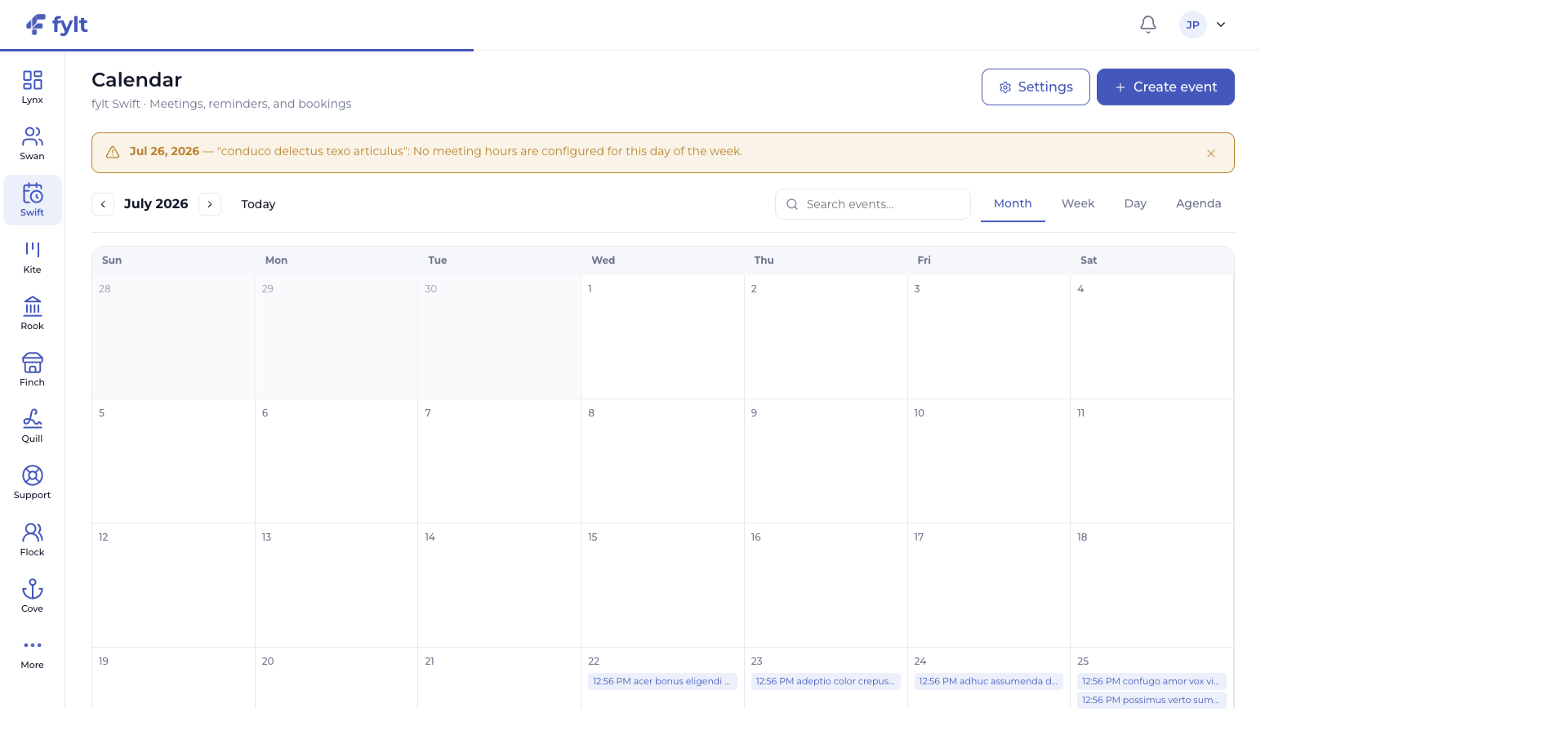
fylt Swift gives your business a polished scheduling experience. Publish bookable services, share live availability across time zones, and give clients a direct path to choose a meeting that fits your calendar.
Explore the parts of fylt Swift that support a connected client workflow from the first action to the next useful handoff.
Swift supports meetings, reminders, focused work, and client booking activity in a single operational calendar.
Make the week easier to scan, coordinate, and protect.
Define services and durations, then make the right slots available through Finch and booking links using your configured hours.
Give clients an easy path to choose a time that works for everyone.
Swift uses the business timezone and configured working and meeting windows to create a clear scheduling experience for global client relationships.
Build confidence around every booked time and reduce scheduling friction.
Bookings can create a Swan lead, meeting invitations carry into Workspace, and project milestones can appear on the calendar.
Keep client conversations connected to the delivery work that follows.
AI-assisted event descriptions provide a useful starting point for agendas and meeting communication.
Create clear, prepared meeting moments with less setup work.
Each screen below is a full-width product capture of a distinct capability, setting, or client-facing outcome.
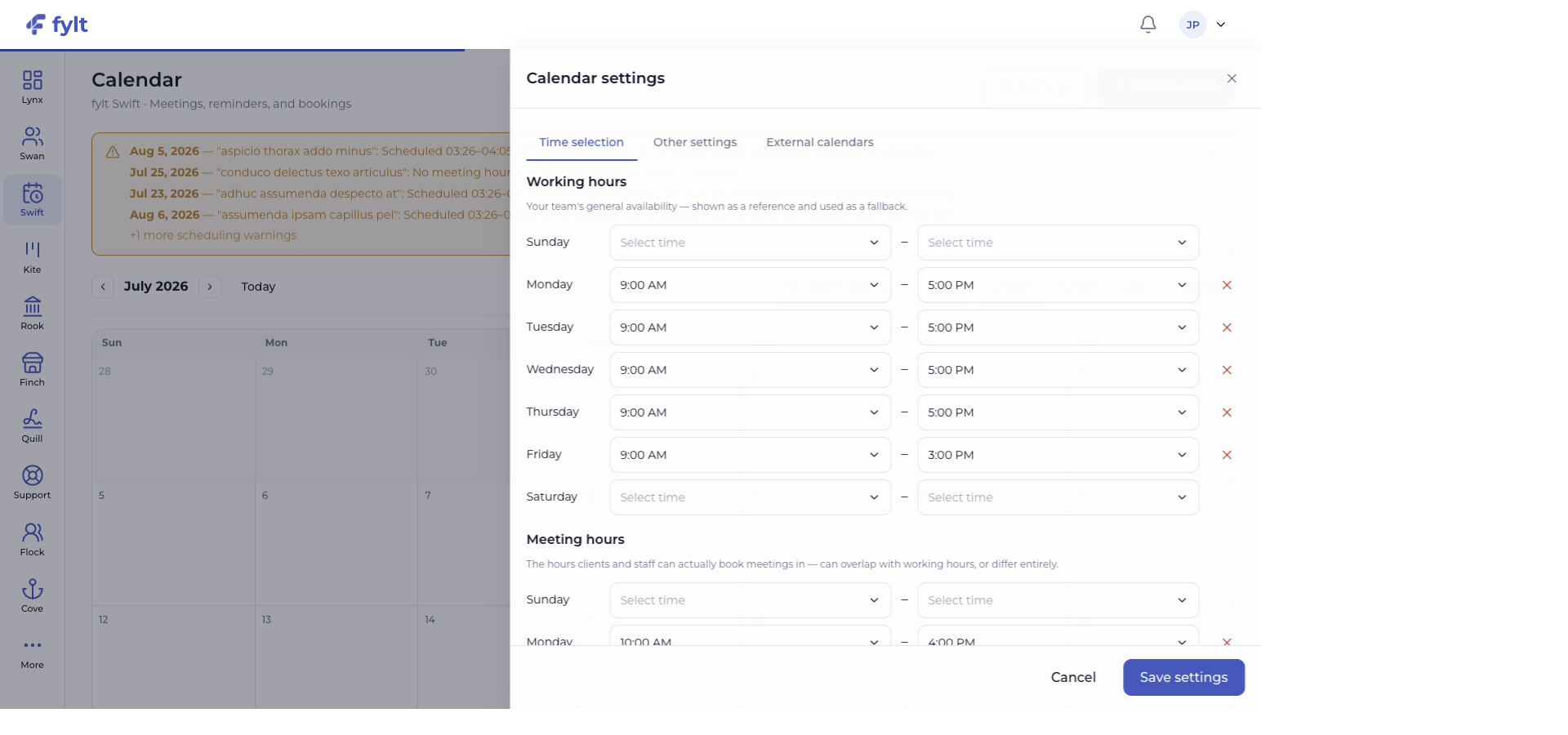
Studio > Calendar > Settings
Swift settings define when your team is available, how clients book time, and which calendar connections inform the schedule.
Set the general hours your team works on each day of the week.
Gives Swift a reliable availability reference for planning.
Choose the windows that clients and staff can use for bookable meetings.
Protects delivery time while making booking expectations clear.
Set the notice, buffers, blackout dates, and service durations that fit your business.
Creates a booking experience aligned with the way your team works.
Connect supported calendars from the External calendars tab when available.
Brings availability context closer to the schedule your team already follows.
A booking from a Finch storefront becomes a Swift event and can create a Swan lead automatically. Calendar activity then gives the delivery team useful context as a relationship moves into projects and billing.
Use fylt AI to create or refine event descriptions and scheduling communications while keeping meeting details in the calendar where your team works.
fylt Swift is wired to: