
Move from scope to quotation
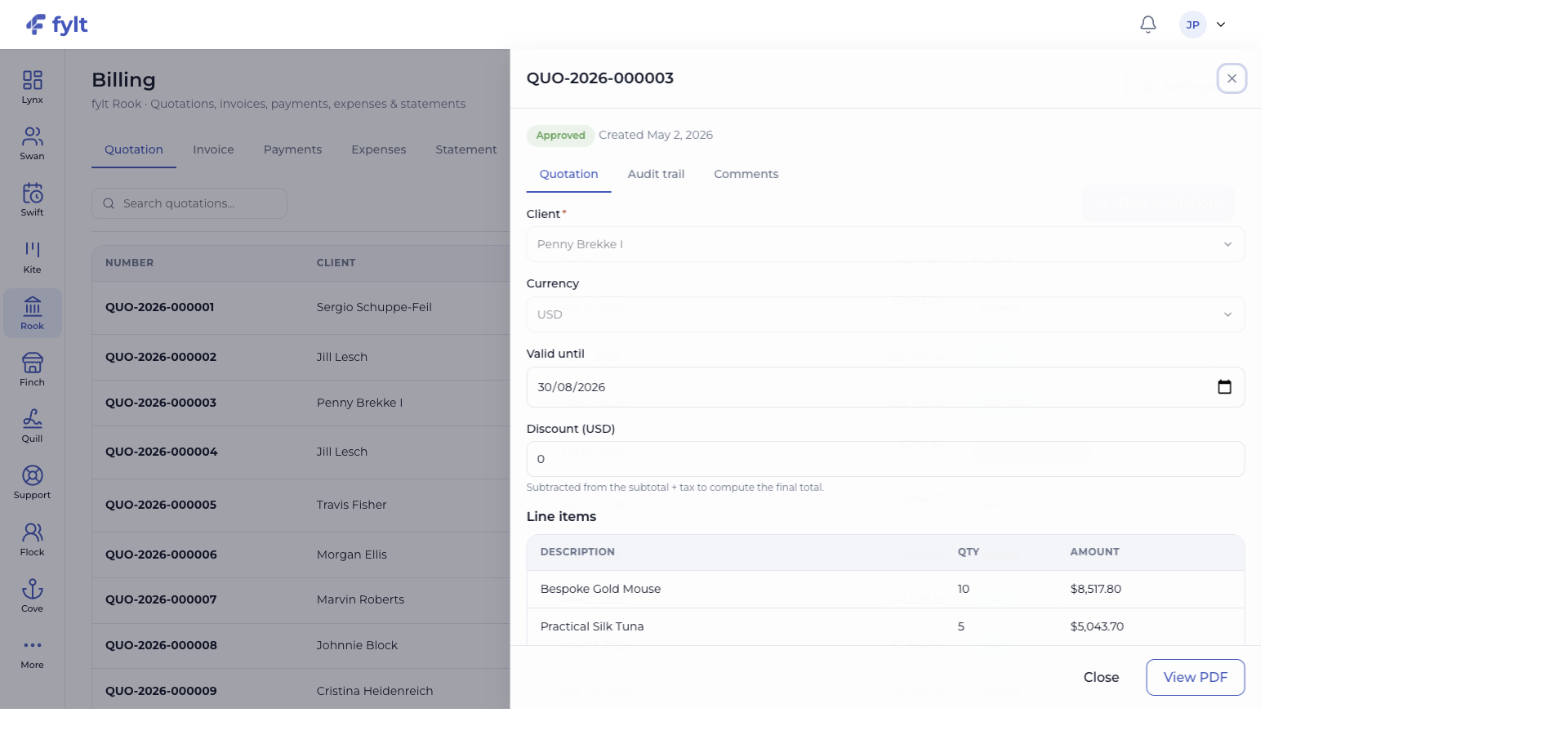
Create quotations with client, currency, dates, discounts, line items, terms, comments, audit history, and PDF access in the same record.
Give clients a clear commercial decision point.
Create a clear path from agreed scope to a reconciled ledger.
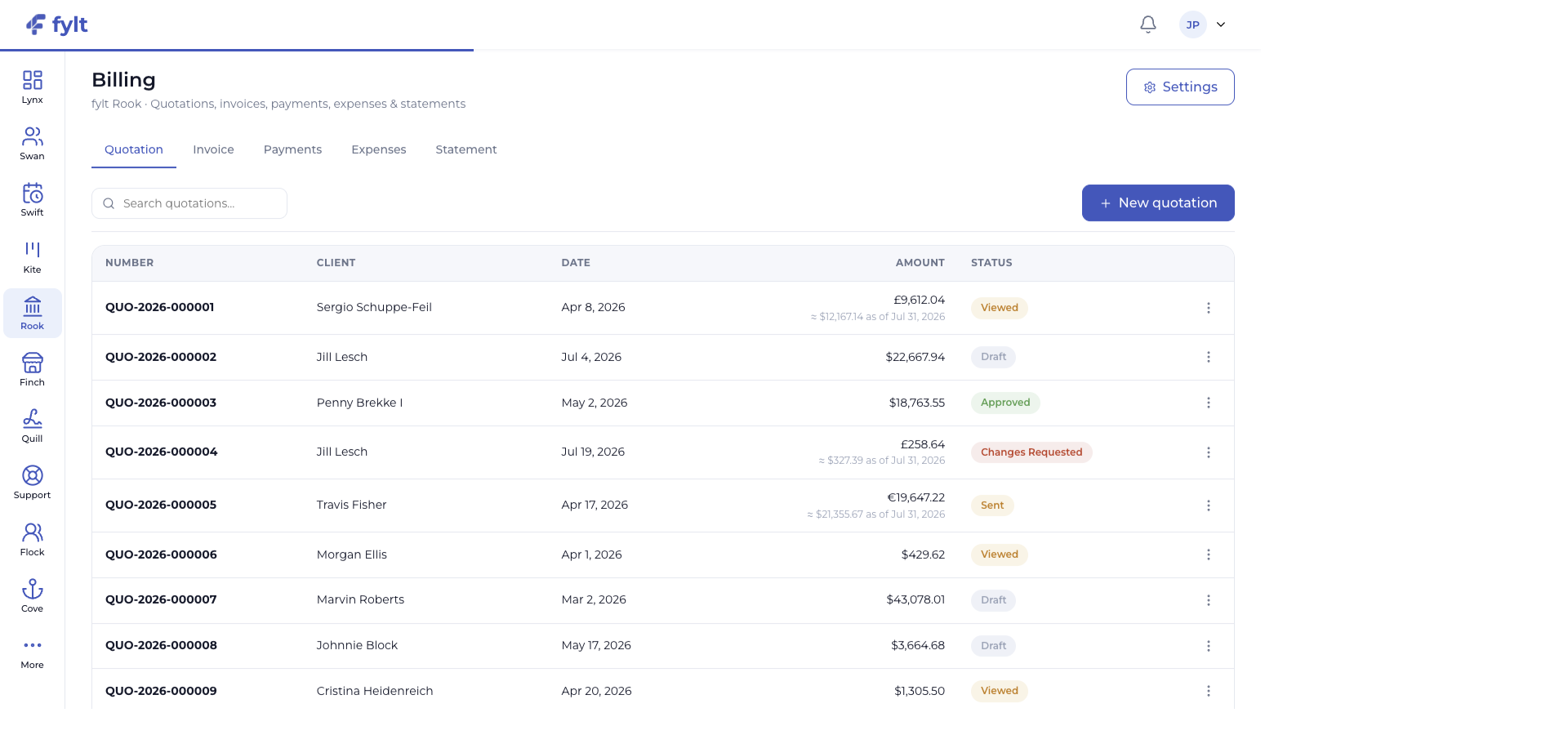
fylt Rook keeps quotations, invoices, recorded payments, expenses, and statements in one business-ready ledger. It supports client-friendly, multi-currency billing while keeping financial context connected to the work and relationship behind every transaction. Payments your clients make outside fylt — bank transfer, UPI, cash, or cheque — are recorded against the invoice so balances always reflect reality.
Explore the parts of fylt Rook that support a connected client workflow from the first action to the next useful handoff.
Create quotations with client, currency, dates, discounts, line items, terms, comments, audit history, and PDF access in the same record.
Give clients a clear commercial decision point.
Rook supports a business reporting currency alongside the client-facing currency context shown on each quotation and invoice.
Keep international client conversations clear and commercially confident.
Invoices, recorded payments, expenses, and statements sit together so balances and reporting reflect the work your business has completed.
Give the team a continuously useful view of revenue and obligations.
Approved quotations can carry the client and scope forward into Kite projects and the related financial workflow.
Create a smoother handoff from sales conversation to delivery.
AI-assisted line items, payment instructions, terms, and reminder content provide a strong starting point for review.
Create a more consistent client-facing billing experience.
Each screen below is a full-width product capture of a distinct capability, setting, or client-facing outcome.
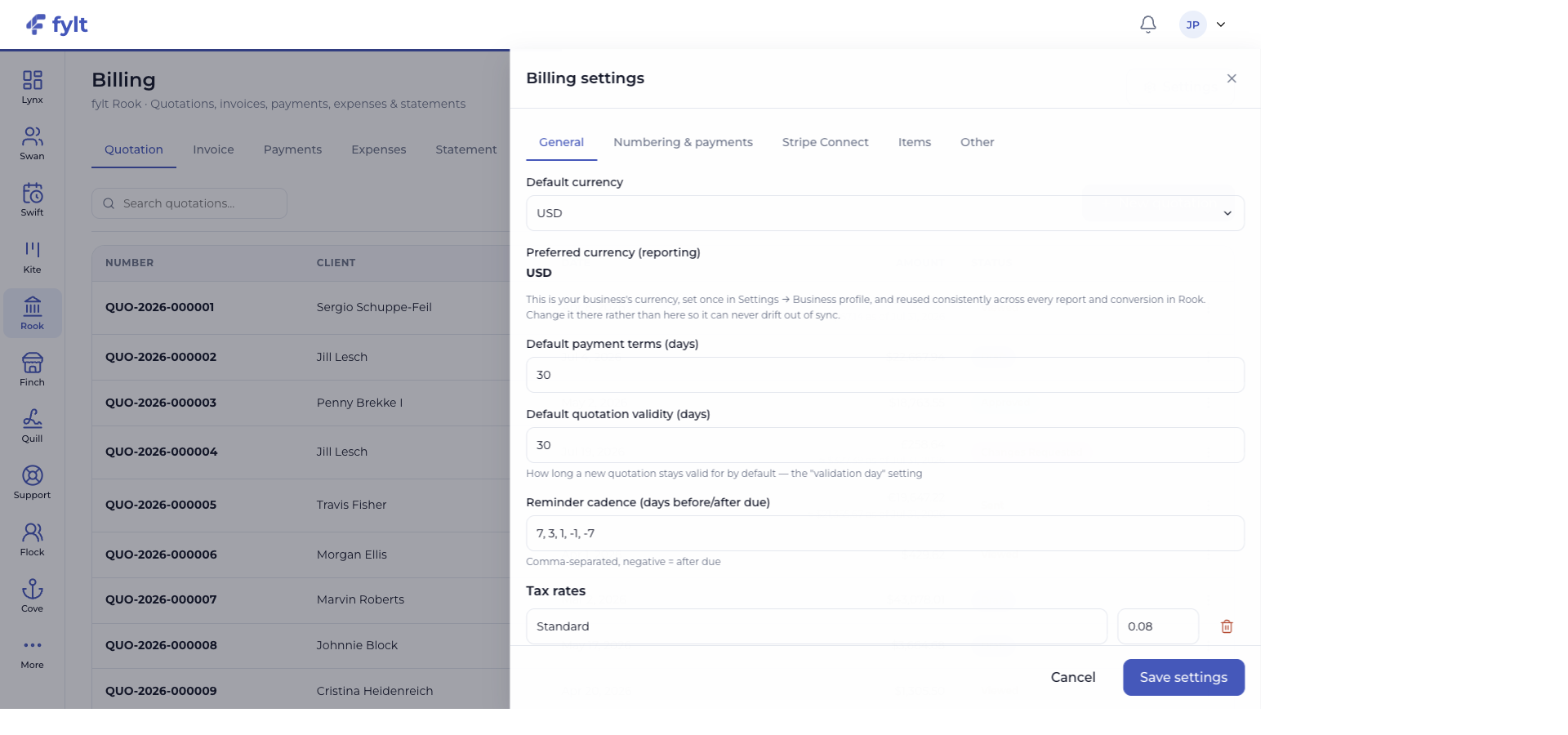
Studio > Billing > Settings
Rook settings establish the reusable defaults that keep every billing document consistent with your business.
Set the business currency from Business settings, then use Rook for client-level billing context.
Keeps reporting and document decisions aligned across fylt.
Review the Numbering and payments tab for the document rules and payment information your business uses.
Creates a consistent financial identity on every new record.
Use the Items tab to keep common billable work ready for future quotations and invoices.
Speeds up repeatable client work while preserving consistent wording.
Use the Other tab to prepare the default text your clients see on billing documents.
Sets clear expectations at every commercial handoff.
A quotation can move directly into a project or invoice once it is approved. Recorded payment activity updates the related client experience in Cove and gives Lynx a current view of the business.
Use fylt AI to draft quotation line items from a short brief and to develop polished payment instructions, terms, and customer-ready reminders that you can refine before sending.
fylt Rook is wired to: