Build informed, personal client relationships at every stage.
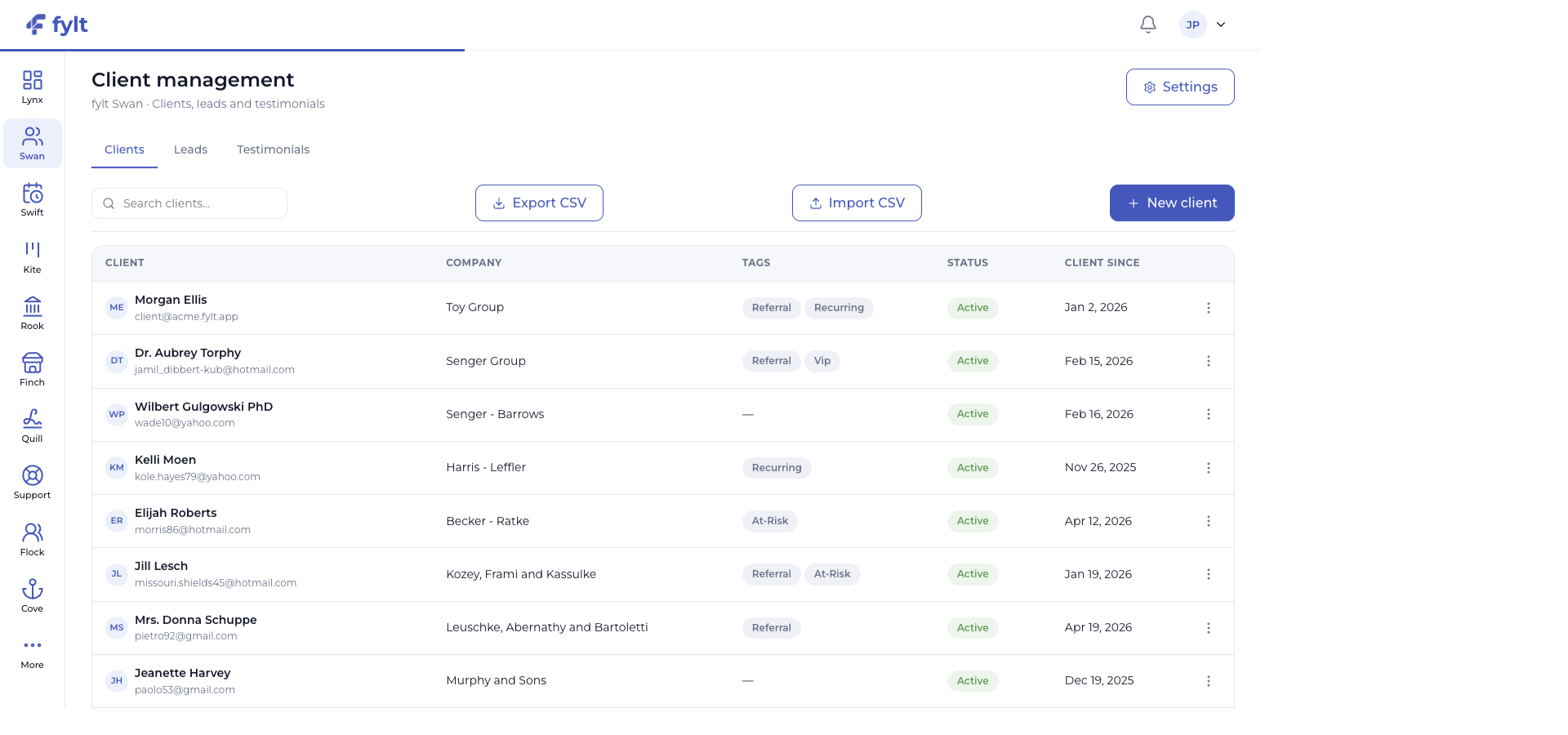
Studio capture. Full-width Studio view: Swan presents client records with the company, tags, lifecycle status, and quick actions needed for a clear relationship view.
What it does
fylt Swan is the relationship hub for every prospect and client. It organizes client details, leads, outreach, testimonials, and activity in a shared record that stays connected to bookings, projects, billing, documents, and support.
Capabilities and value
Explore the parts of fylt Swan that support a connected client workflow from the first action to the next useful handoff.
Keep every relationship in one record
Client records bring identity, company, tags, lifecycle status, activities, related work, financial history, documents, meetings, and support into one place.
Give every teammate the context to deliver a personal, informed client experience.
Guide opportunities through your pipeline
The lead board uses the stages your business defines and supports a clear progression from first contact through onboarding and successful work.
Create a shared, visible view of sales momentum.
Turn interest into an active relationship
Bookings and storefront enquiries can feed the lead workflow, while a successful lead outcome creates the foundation for an active client record.
Keep marketing, scheduling, and relationship work connected from the beginning.
Create social proof with context
Approved testimonials can be curated for the Finch storefront from the same relationship system where your team understands the client story.
Build a more credible public presence from real client outcomes.
Prepare better conversations with AI
AI-assisted client summaries and message templates help turn stored relationship context into a polished starting point for the next touchpoint.
Spend more time on thoughtful client communication.
See the workflow in detail
Each screen below is a full-width product capture of a distinct capability, setting, or client-facing outcome.
A visible lead pipeline
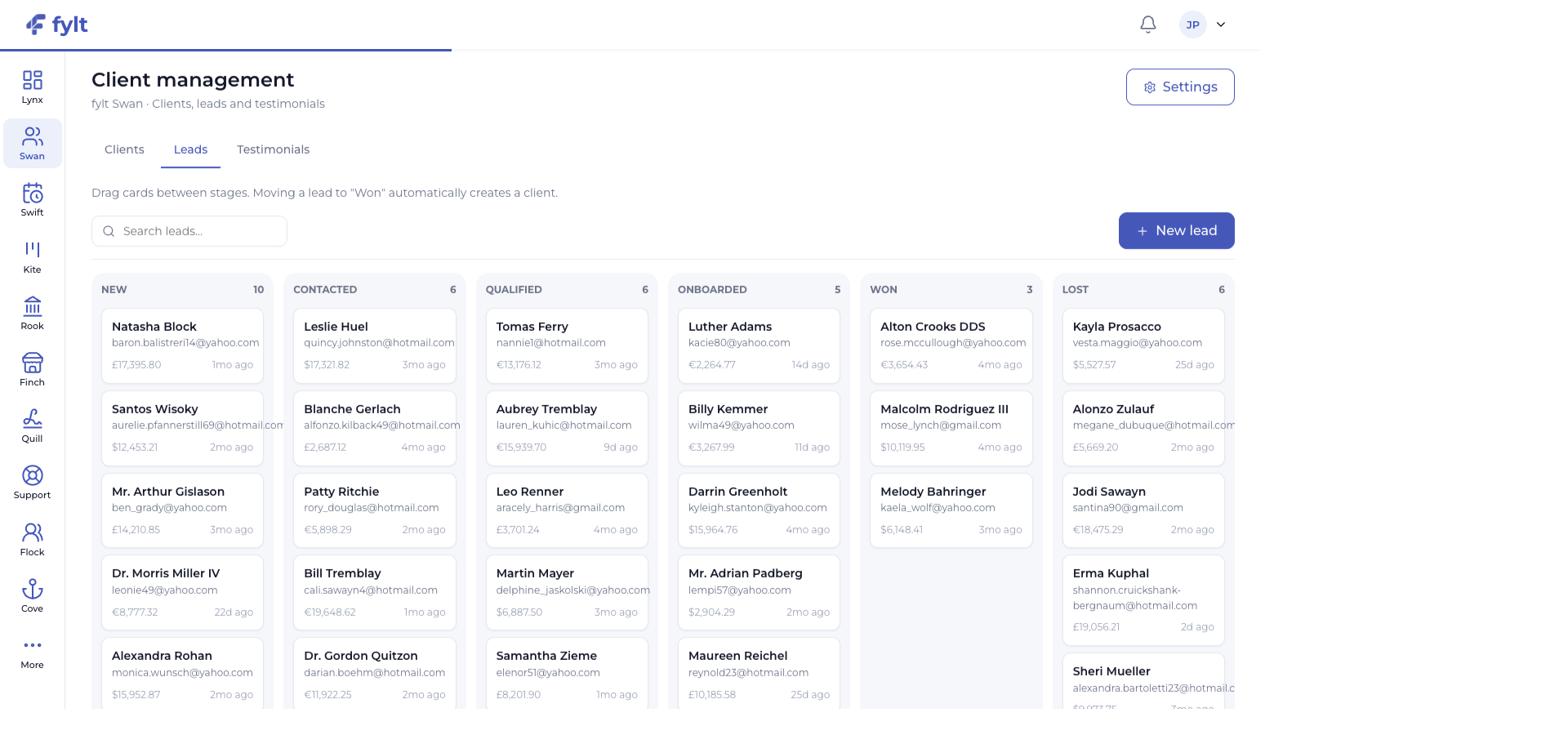
Studio capture. Swan lead board: move prospects through the stages your business uses, with each card carrying relationship context and projected value.
Pipeline and field configuration
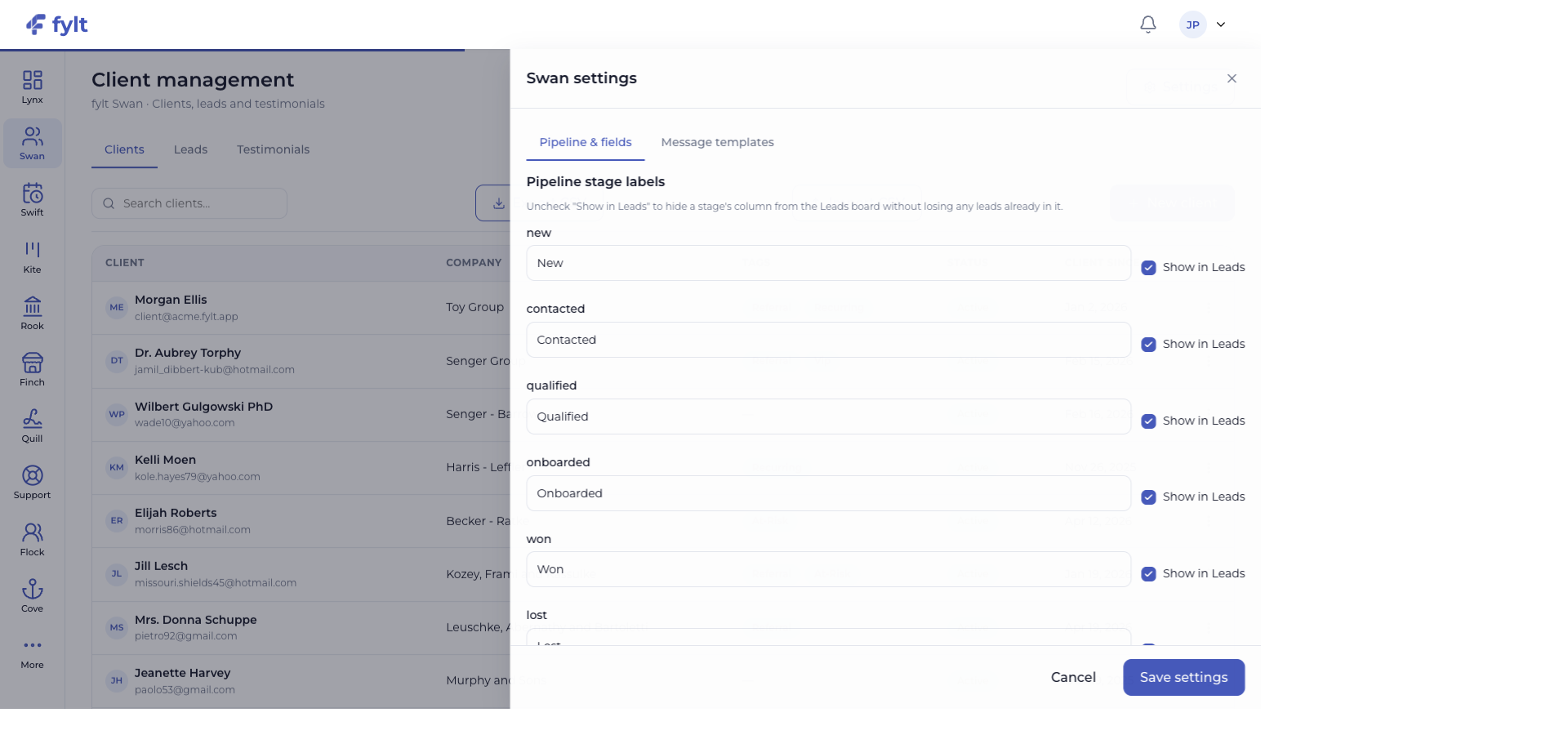
Studio capture. Swan settings: name the lifecycle stages your team uses, choose which stages appear on the Leads board, and extend the record with sources, tags, and custom fields.
Configure it for your business
Studio > Client management > Settings
Swan settings let the client lifecycle match the language, qualification process, and information model your business already uses.
Pipeline stage labels
Name each stage and select Show in Leads for the columns your team wants on the board.
Makes every opportunity easy to understand at a glance.
Lead sources and client tags
Add the acquisition sources and relationship tags your team recognizes.
Improves segmentation, reporting, and follow-up choices.
Custom fields
Add focused client attributes that matter to your service delivery.
Keeps your relationship records relevant without changing the shared core data.
Message templates
Create reusable outreach starting points for the client moments your team handles frequently.
Helps every message stay consistent, personal, and efficient.
Getting started
Import existing clients via CSV, or add them one at a time from Swan → Clients.
Set lead sources so Swift bookings and Finch storefront enquiries land in the right bucket automatically.
Invite a client to their branded fylt Cove portal directly from their client detail page.
Key settings
Lead stages: customize the pipeline stages leads move through (e.g., New → Contacted → Qualified → Won).
Outreach templates: save reusable email/message templates for common outreach.
Testimonial visibility: control which approved testimonials are eligible to show on your Finch storefront.
Daily workflow
Check the Leads board each morning and move anything that's had contact into the next stage.
Log a note or call after every client interaction so the timeline stays complete.
Approve incoming testimonials and mark the best ones to show on your storefront.
What updates next
New booking enquiries can create Swan leads, Rook documents and payments remain connected to the client record, and shared project or support activity gives every teammate a richer view of the relationship.
fylt AI in this workflow
Use AI-assisted client summaries to prepare for a conversation and create or refine outreach templates with the client context already stored in Swan.
Make the most of it
Approve a testimonial to make it eligible for your Finch storefront.
Use outreach logging to keep a full timeline per client — Wren tickets and Rook invoices show up on the same timeline automatically.
A Swift booking from your storefront creates a Swan lead automatically — no manual entry.