
Give each client a branded private space
Cove turns the work you choose to share into a branded Workspace where clients can stay informed and engaged.
Create a more connected, professional client experience.
A private, branded Workspace for a more connected client experience.
fylt Cove is a private, branded Workspace where clients can follow shared projects, review quotations and invoices, sign documents, schedule time, and communicate with your team in one welcoming portal.
Explore the parts of fylt Cove that support a connected client workflow from the first action to the next useful handoff.
Cove turns the work you choose to share into a branded Workspace where clients can stay informed and engaged.
Create a more connected, professional client experience.
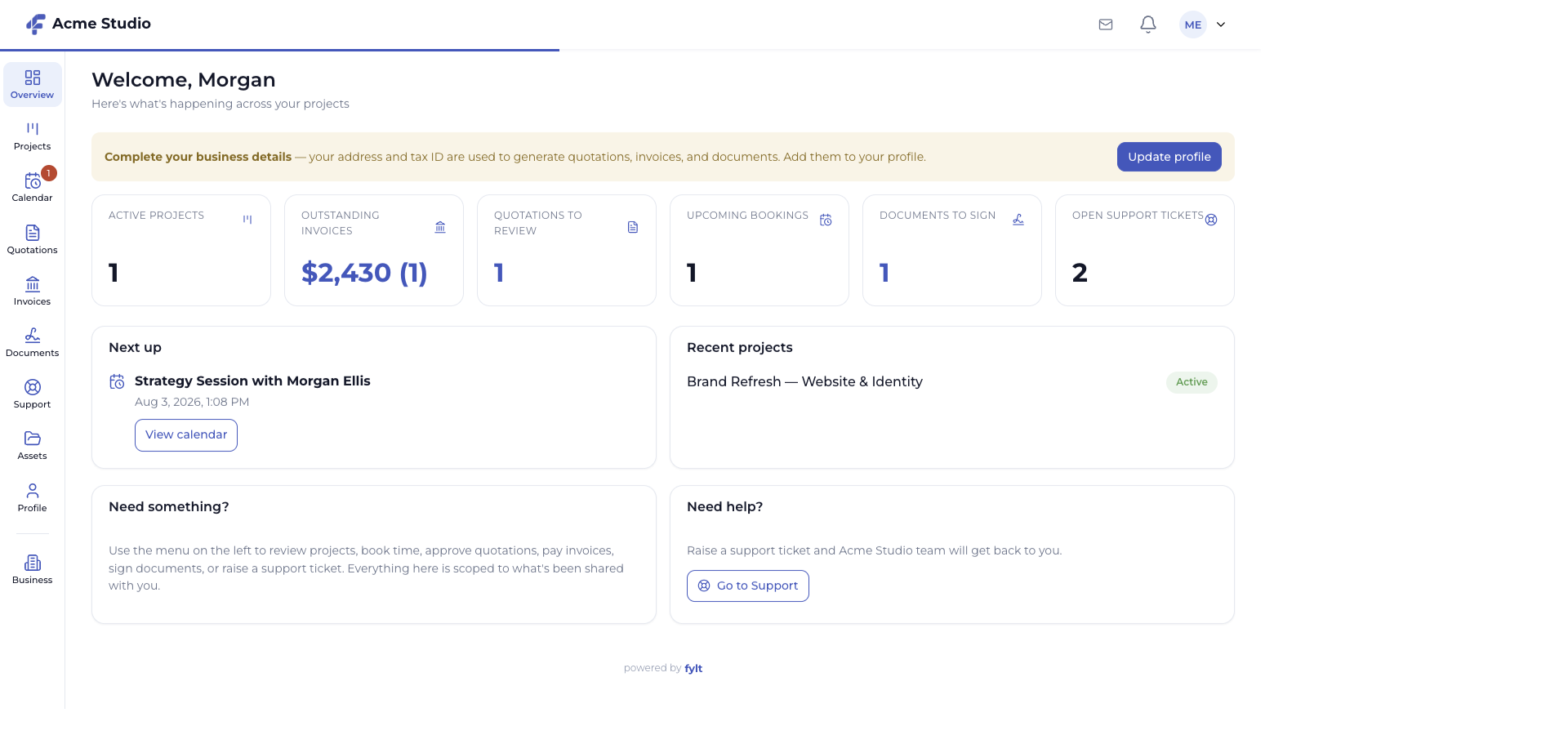
The Workspace overview brings active projects, invoice status, quotations to review, bookings, documents, and support together for the client.
Make the next client action easy to understand and complete.
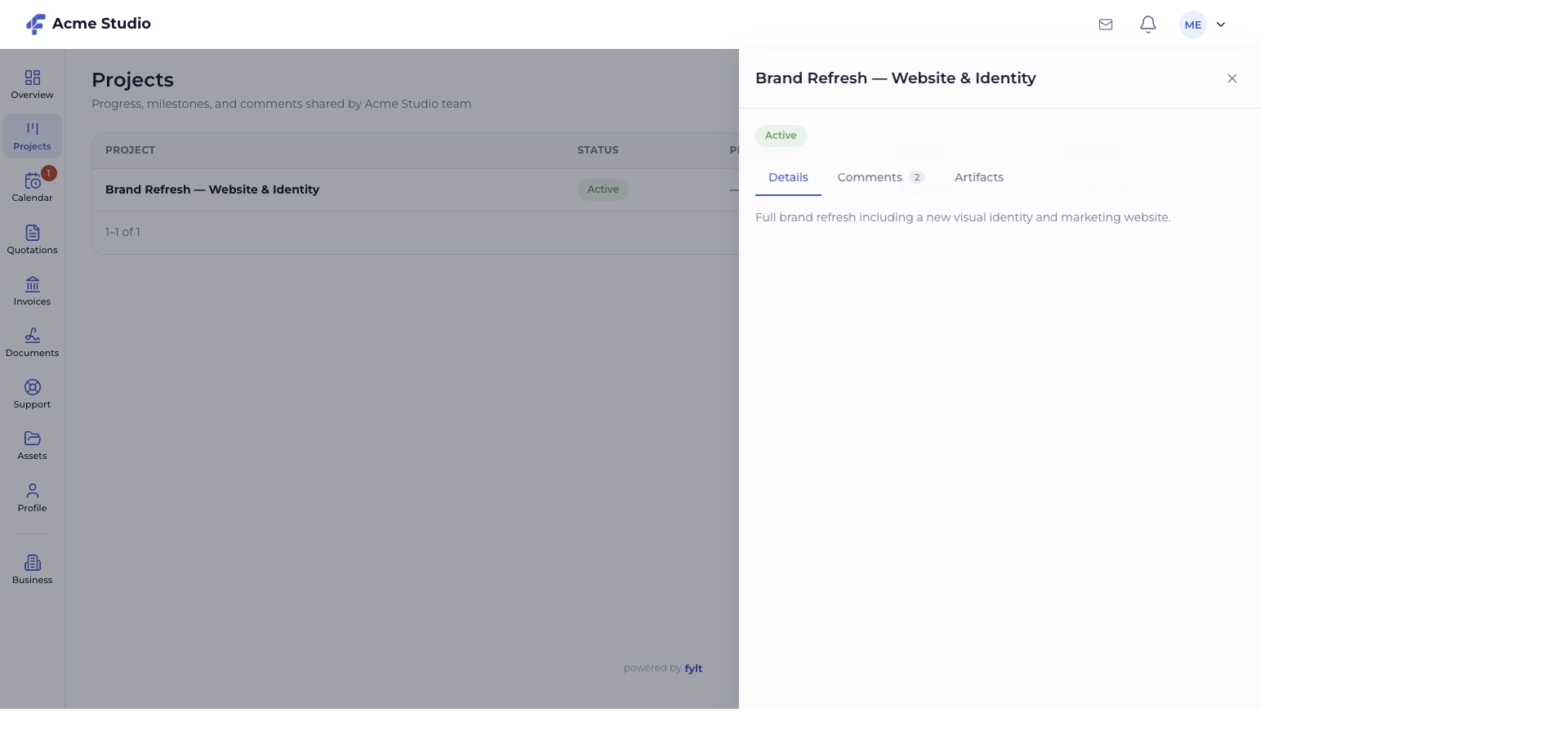
Clients can open shared project details, follow stage progress, read comments, and access the artifacts your team makes available.
Keep delivery transparent while preserving a focused, professional boundary.
Client approvals, document signatures, booking responses, project comments, support requests, and recorded invoice activity remain connected to the owning Studio workflow.
Give both sides of the relationship a consistent view of the work.
Each screen below is a full-width product capture of a distinct capability, setting, or client-facing outcome.
Studio > Workspace
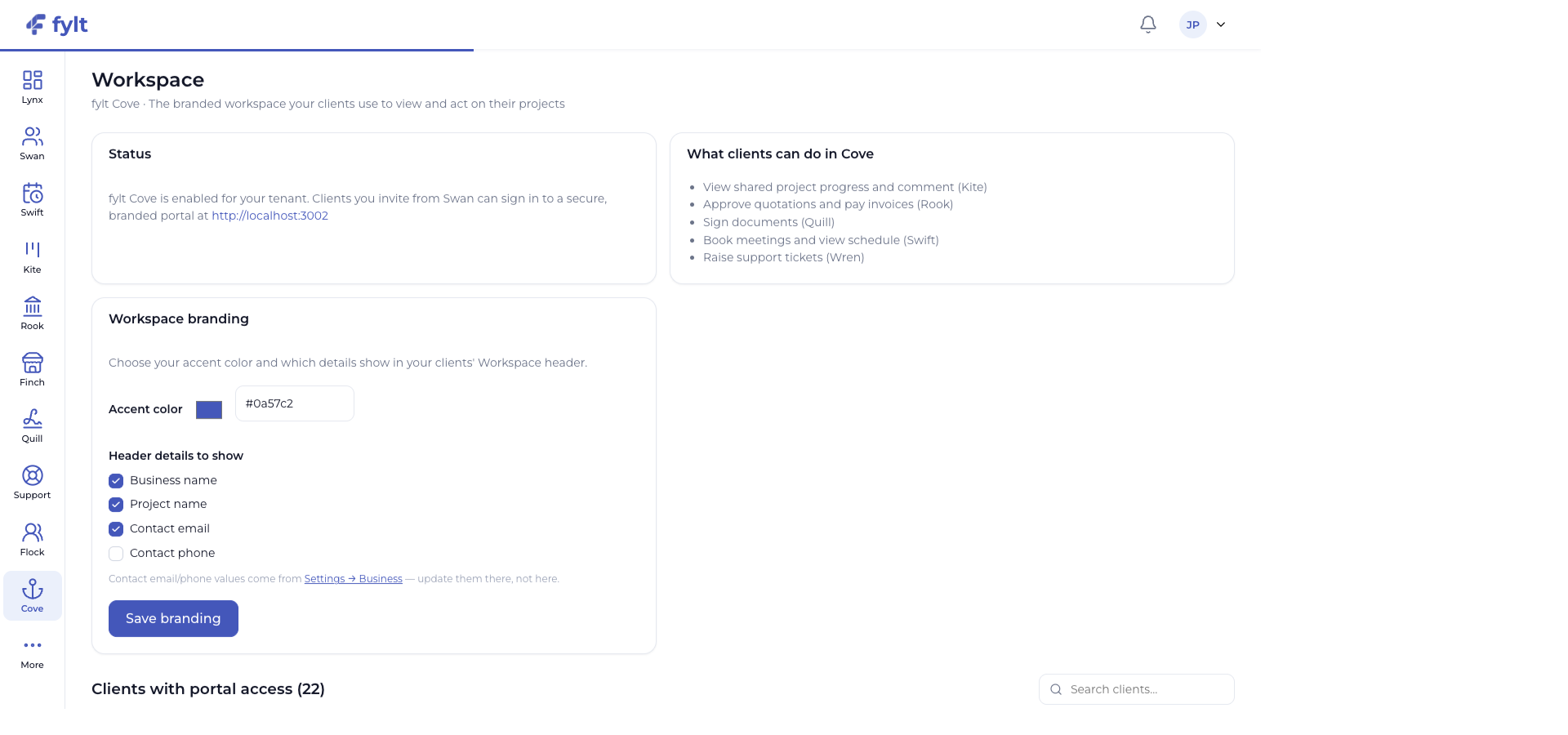
Cove settings let your business shape the private client experience before invitations are sent.
Choose the client Workspace accent color and use the business logo and banner managed in Business settings.
Creates a familiar, trusted experience for every invited client.
Select the business details that appear in the client Workspace header.
Keeps helpful contact context available where clients need it.
Invite a client from their Swan record when their Workspace experience is ready.
Creates a deliberate, relationship-aware handoff into the portal.
Keep project stages, documents, quotations, invoices, and support activity current in their owning modules.
The Workspace reflects the current client journey automatically.
Cove is the client-facing extension of Studio. Client approvals, signatures, booking responses, project comments, and support requests update the related Studio workflows so both sides stay aligned, and payments you record in Rook show up on the client's invoice view.
fylt Cove is wired to: