
Invite and organize the team
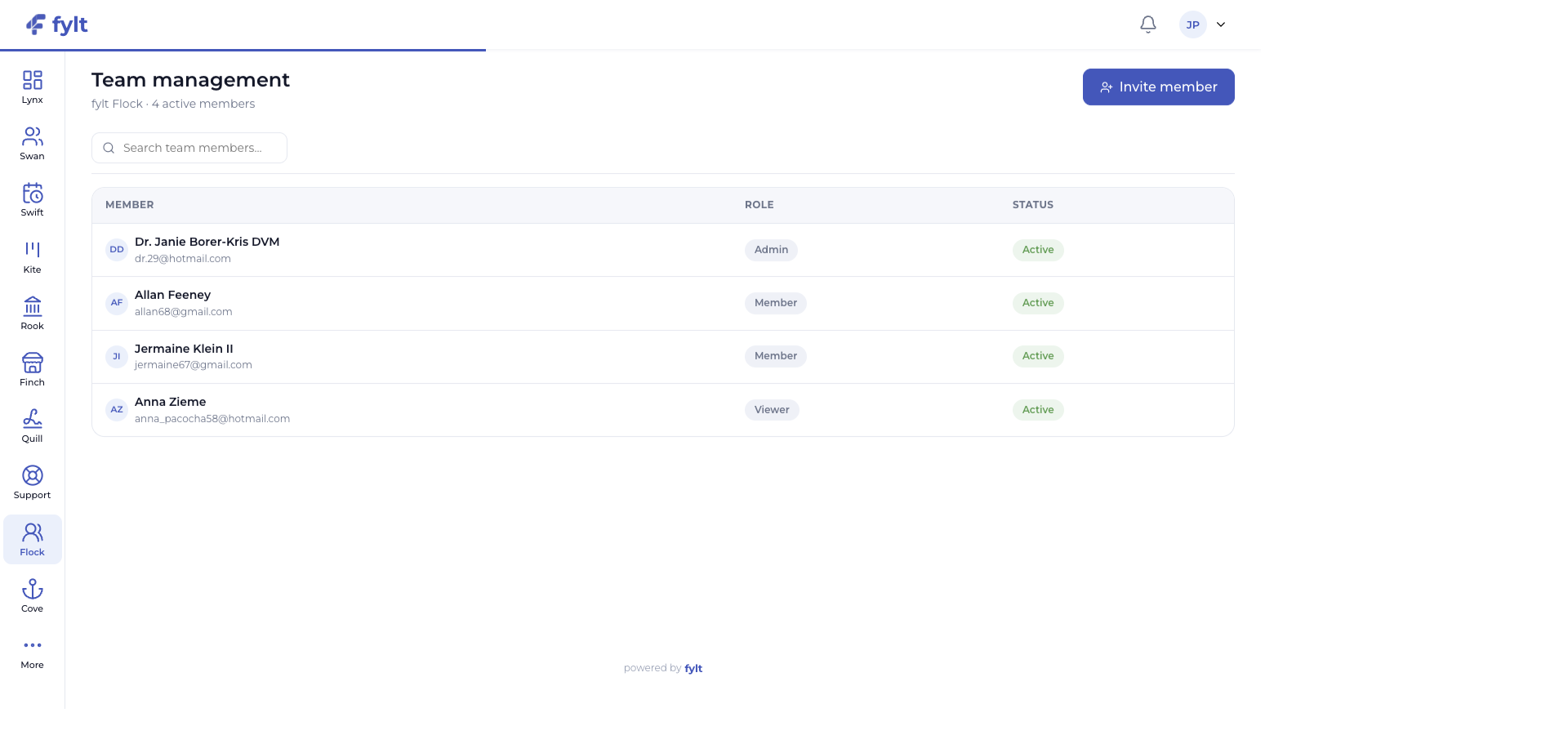
Flock gives business owners a clear directory of active members and an invitation workflow for the people who contribute to client work.
Build a team structure that is easy to understand and maintain.
Give each teammate the right access, ownership, and operational clarity.
fylt Flock helps a growing service business coordinate its people. Manage team roles, plan seats, task ownership, and member payment records from the same platform your team uses to serve clients.
Explore the parts of fylt Flock that support a connected client workflow from the first action to the next useful handoff.
Flock gives business owners a clear directory of active members and an invitation workflow for the people who contribute to client work.
Build a team structure that is easy to understand and maintain.
Roles such as owner, admin, member, and viewer establish the level of access a teammate receives across the Studio experience.
Keep collaboration purposeful and responsibilities clear.
Team members can own Kite tasks and Wren tickets while their role remains visible to the people coordinating work.
Make accountability easy to see across client delivery and support.
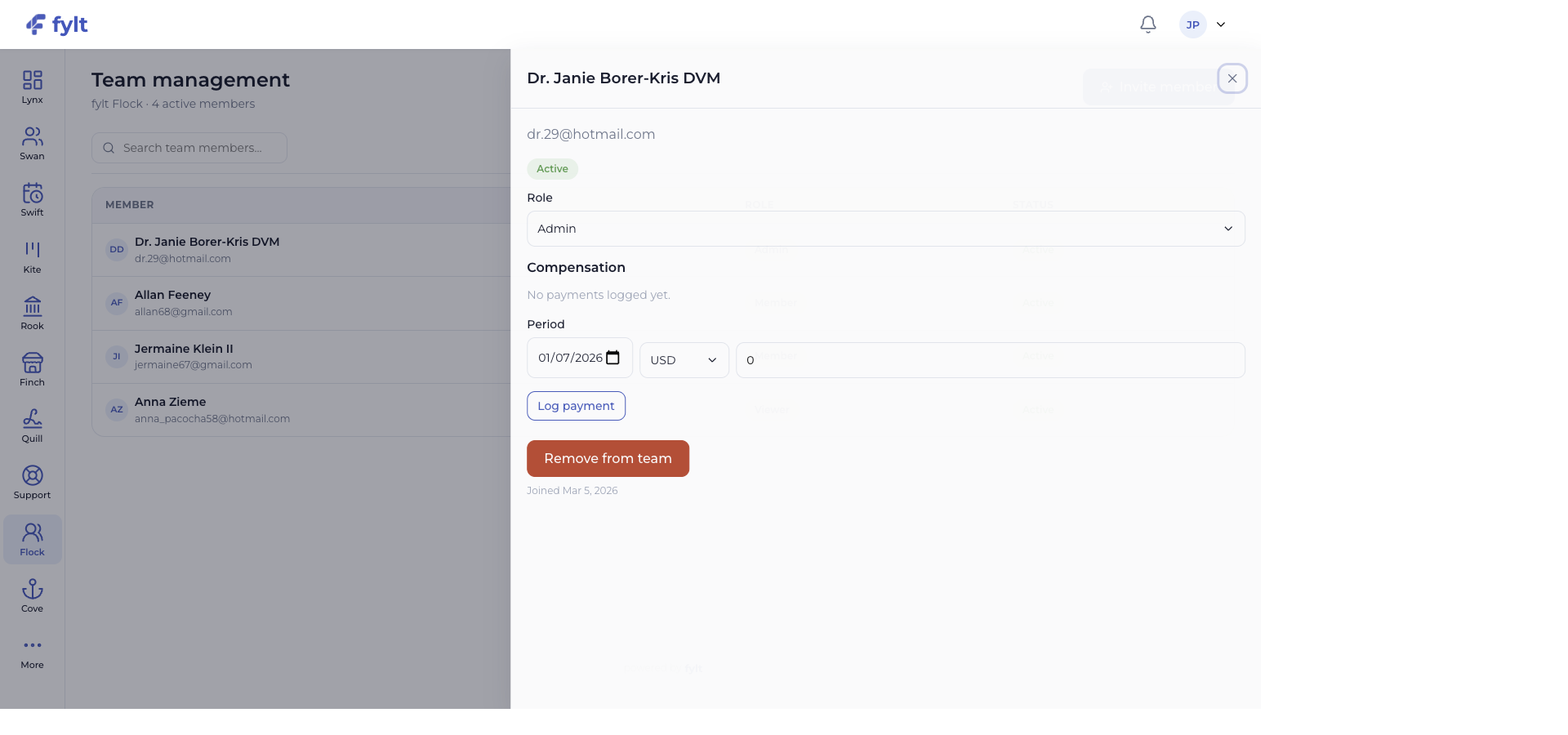
Member detail includes compensation and payment-period controls for the internal financial activity that supports your team.
Keep people operations close to the delivery and ledger context they support.
Each screen below is a full-width product capture of a distinct capability, setting, or client-facing outcome.
Studio > Team management
Flock configuration happens directly in the team workflow, keeping access and compensation decisions close to the member record.
Use Invite member to add a teammate and begin the account setup journey.
Makes team growth a visible, managed process.
Open a member record and choose the role that matches the responsibilities they hold.
Aligns module access with the contribution each teammate makes.
Use the member detail panel to record a payment period and amount when relevant.
Creates a useful record of internal financial commitments.
Review your plan's available seats as the team grows.
Keeps the team structure aligned with the subscription that supports it.
Flock roles shape who can work in each module, while member ownership stays visible on Kite projects and Wren tickets. Member payment records also sit alongside the wider Rook financial picture.
fylt Flock is wired to: