
Run a delivery board that matches your business
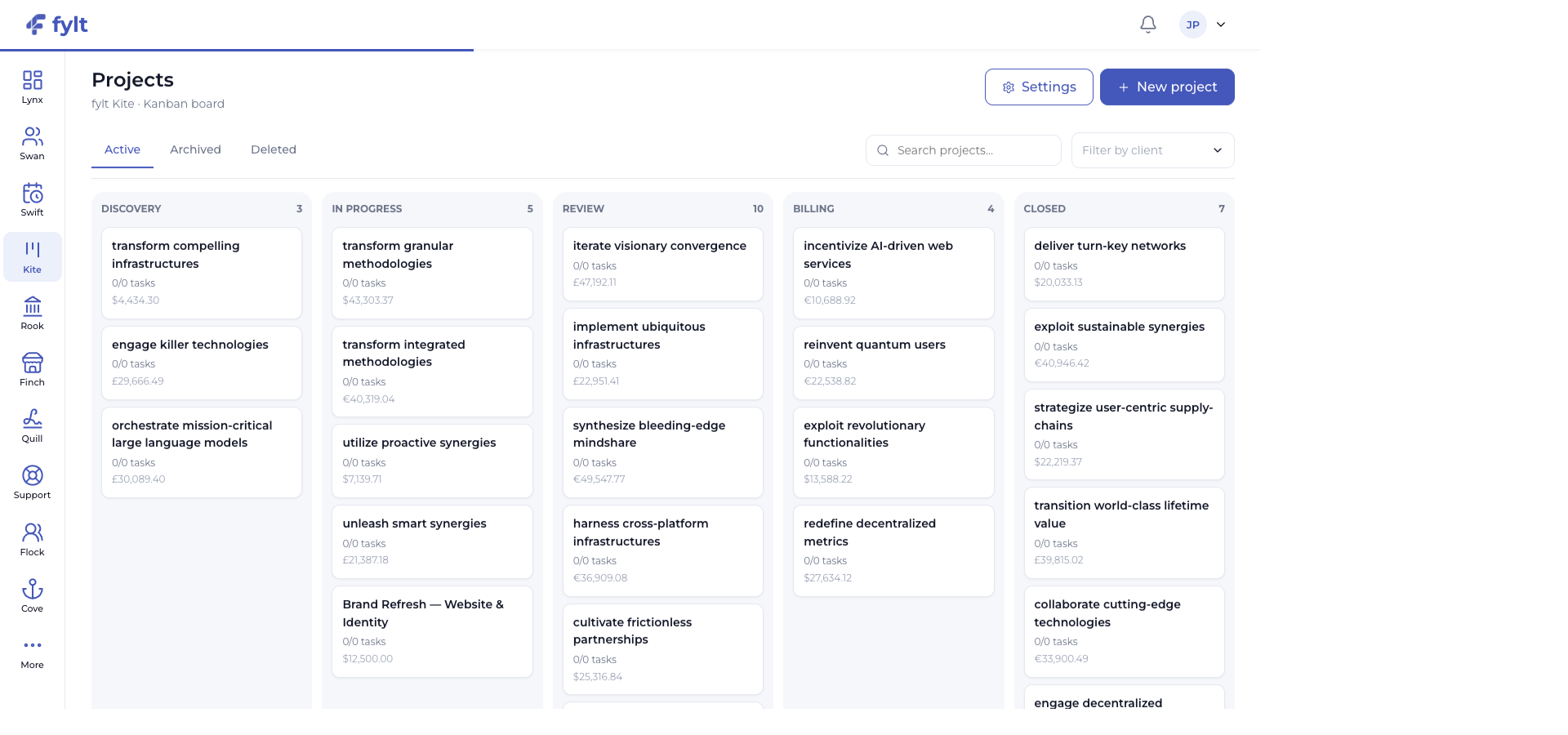
Kite organizes active projects across configurable stages, with every card showing task progress and financial context.
Make delivery momentum visible to the whole team.
Turn signed scope into visible, confident delivery.
fylt Kite is a flexible Kanban workspace for turning agreed client work into visible delivery. Projects, tasks, comments, files, milestones, and billing context remain together from kickoff through completion.
Explore the parts of fylt Kite that support a connected client workflow from the first action to the next useful handoff.
Kite organizes active projects across configurable stages, with every card showing task progress and financial context.
Make delivery momentum visible to the whole team.
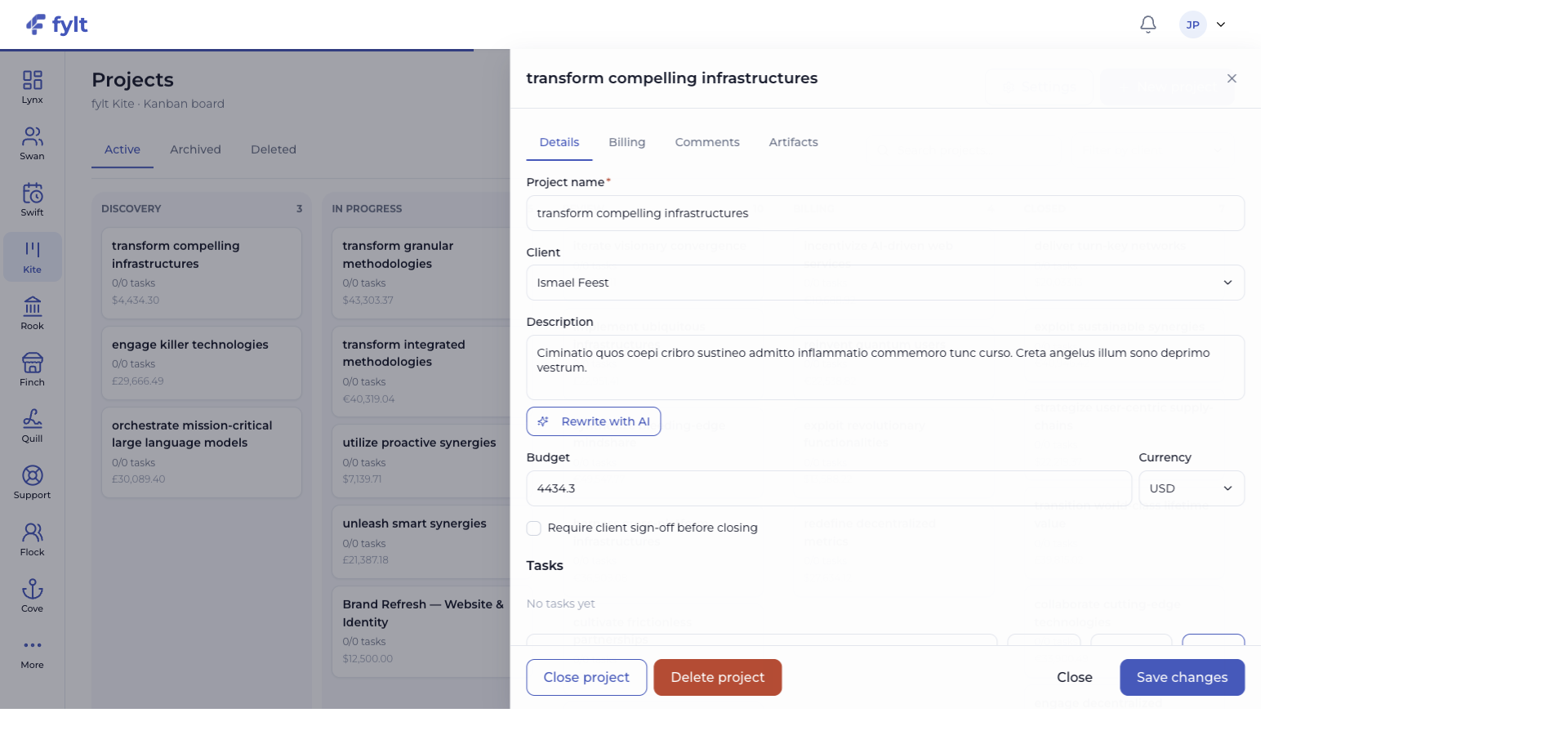
The project drawer brings the client, description, tasks, milestones, budget, currency, and sign-off choice into one focused view.
Create a shared source of truth from kickoff through completion.
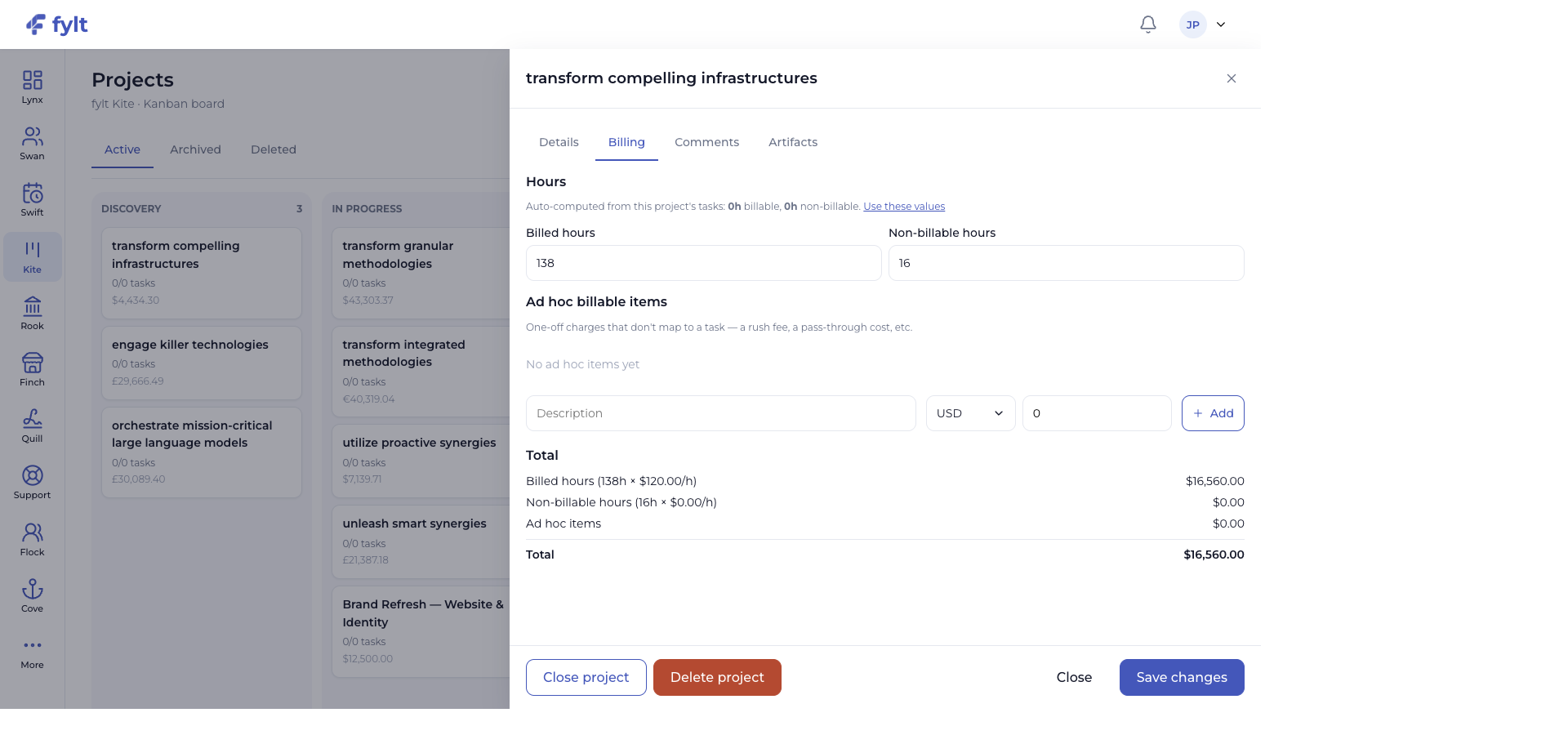
Kite can calculate billable and non-billable hours from tasks, accept ad hoc billable items, and show the resulting project total.
Turn delivery effort into a clearer commercial view.
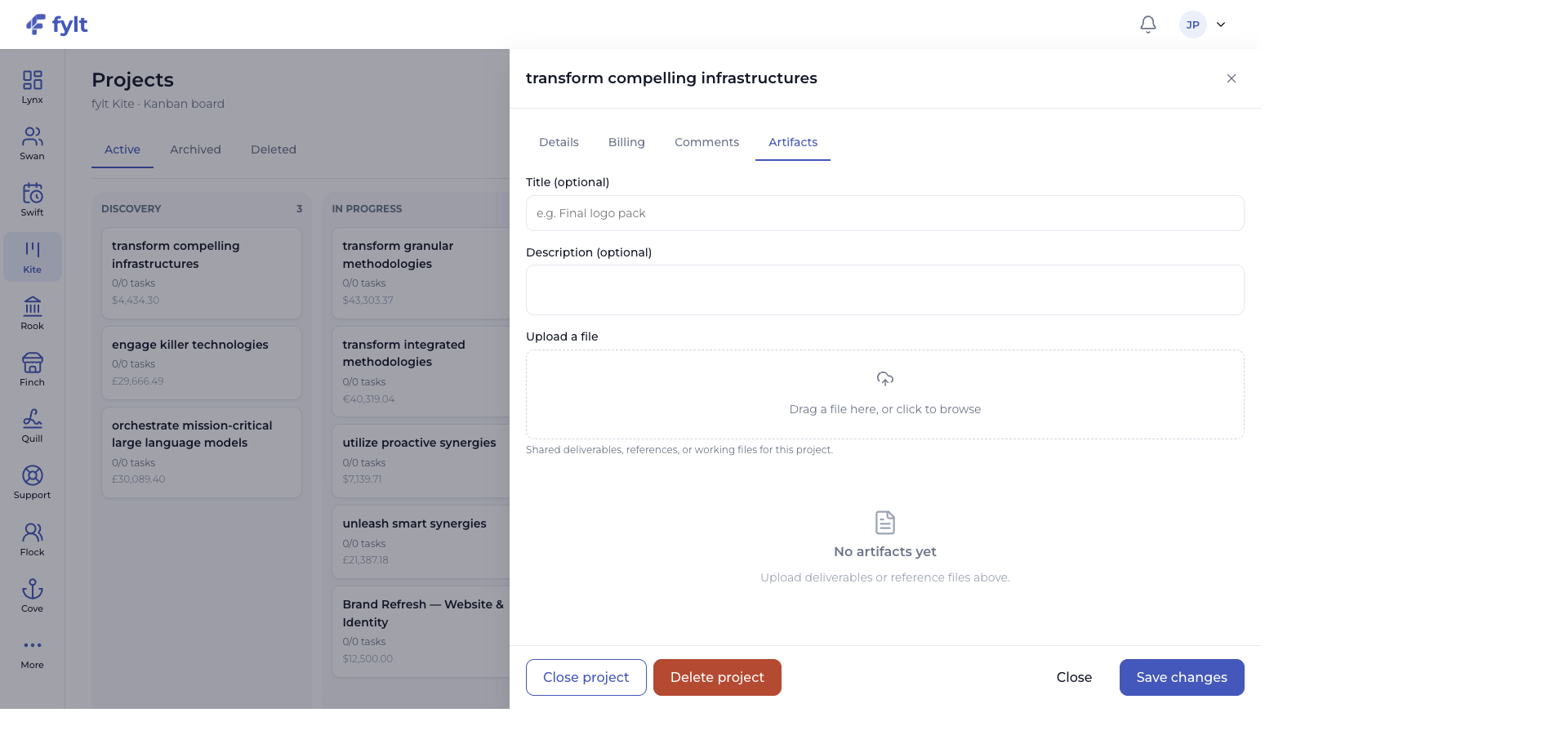
Artifacts support titled files and descriptions so deliverables, references, and working materials stay attached to the project.
Give the team and client a well-organized record of the work.
AI-assisted project descriptions help turn a confirmed scope into an editable delivery brief.
Create momentum from the first project conversation.
Each screen below is a full-width product capture of a distinct capability, setting, or client-facing outcome.
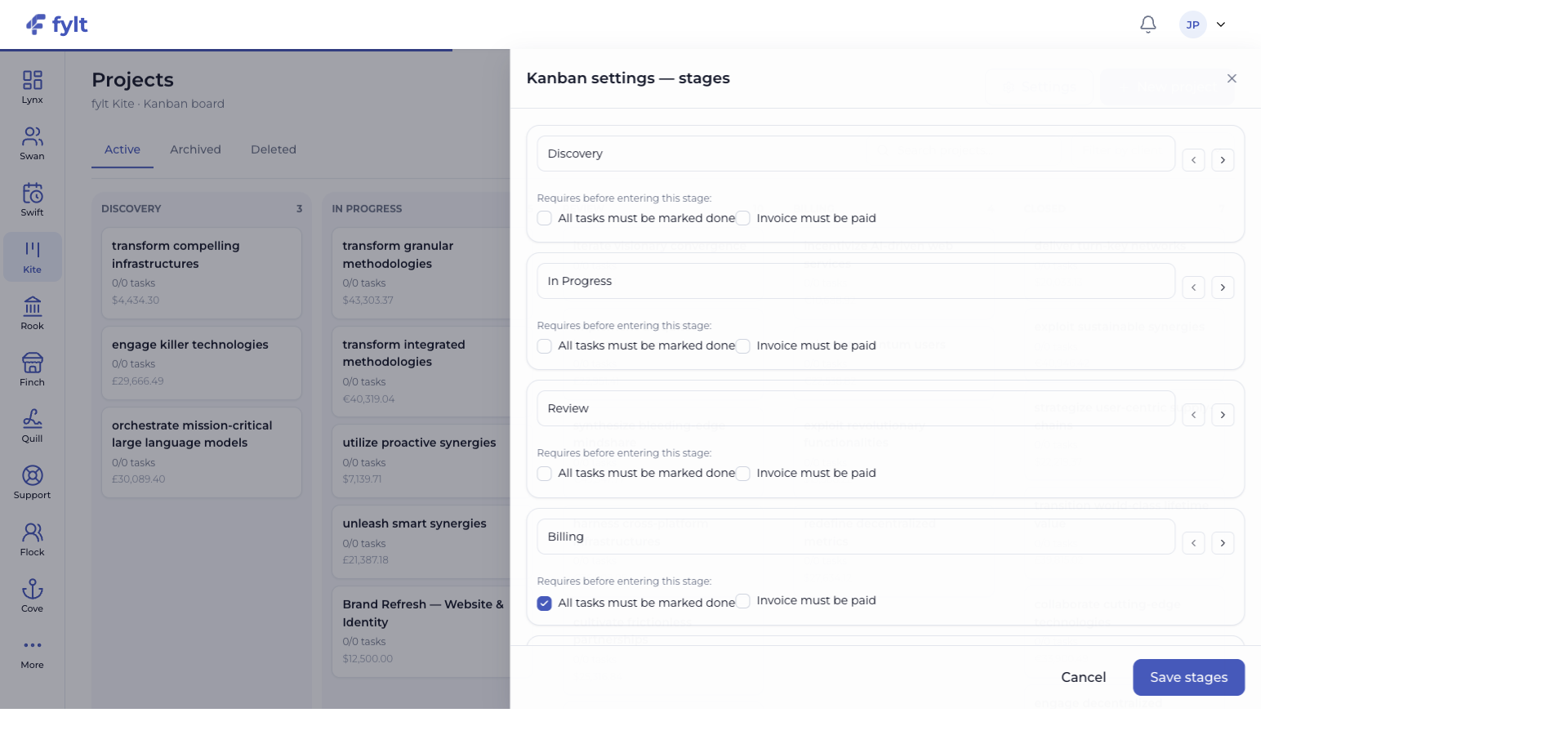
Studio > Projects > Settings
Kite settings shape the delivery stages that define how work moves through your business.
Name each delivery stage and arrange the sequence your team follows.
Makes the board feel native to your own delivery method.
Enable the All tasks must be marked done requirement for the stages that represent completed delivery.
Keeps the board aligned with the work your team has actually completed.
Enable the Invoice must be paid requirement where a commercial milestone belongs before the next stage.
Connects financial confidence to project progression.
Choose Require client sign-off before closing when a project needs an explicit approval step.
Creates a clear finish line for valuable client work.
An approved Rook quotation or a completed Quill signing workflow can create the matching Kite project. Project stage changes and client-shared comments flow through to the client experience in Cove.
Use fylt AI to shape a project description from the agreed scope, giving your team a strong delivery brief before tasks and milestones are refined together.
fylt Kite is wired to: